
June 23rd, 2026
The To-Do List Trick That Finally Stuck (No Fancy Pen Required)
Let's talk about Analysis Paralysis — that wonderful condition where we get so wrapped up in making something perfect that we never actually start it. It's the productivity equivalent of standing in your closet for twenty minutes deciding what to wear, only to give up and put on the same shirt you always wear.
I'll admit it: I'm a pen-and-paper person at heart. There's something satisfying about a physical list. But it had to be the right paper, and ideally written with that one special pen that somehow makes my chicken-scratch handwriting (thanks, autocorrect, for ruining me for cursive) look halfway respectable.
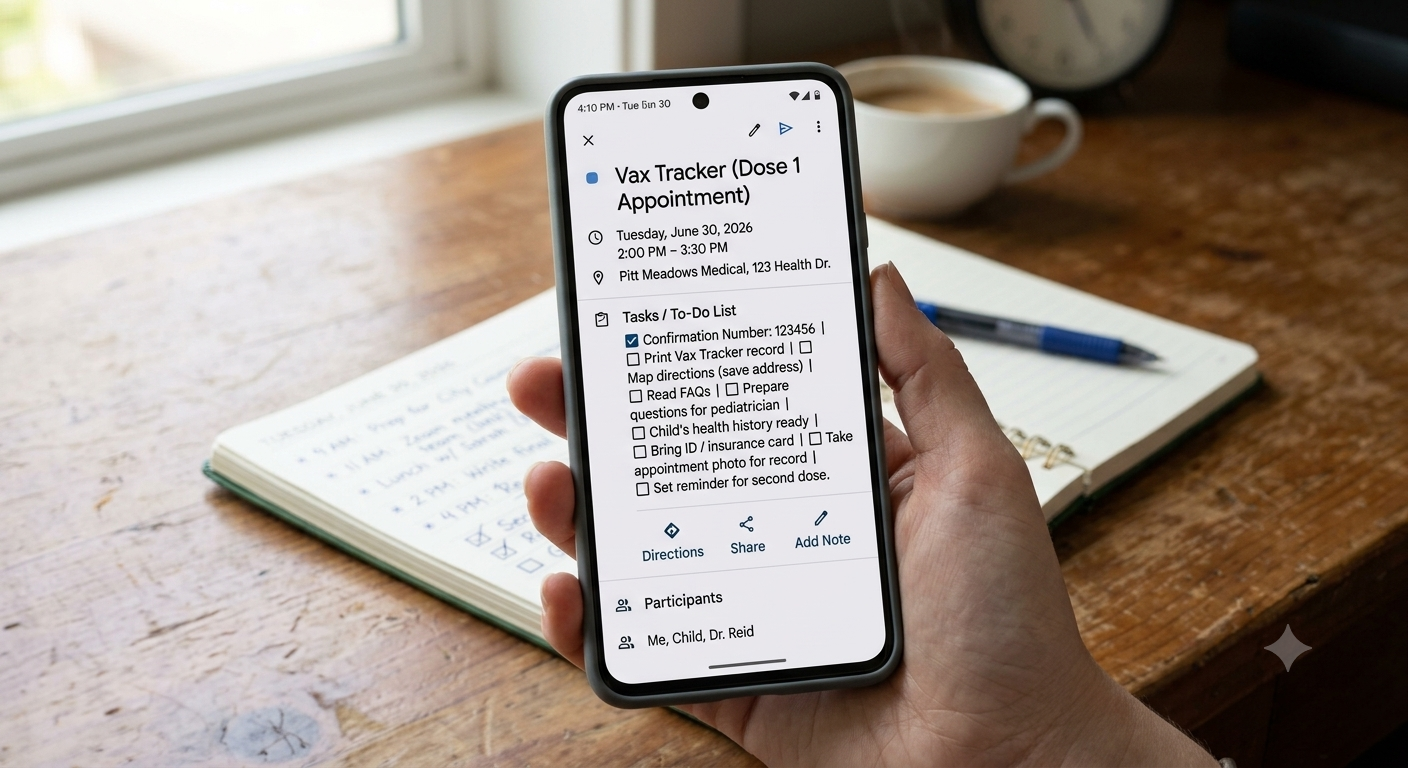
And once that beautiful, perfectly-penned list existed? I'd leave the house without it roughly 100% of the time, abandoning it on the counter next to a cold mug of coffee I also forgot to drink. Infuriating. Both for me, and for the coffee.
We Already Have the Perfect Tool. It's in Our Pocket.
Here's the thing — we love to overcomplicate our systems, when the answer is usually already in our hands. Literally. Your phone.
Now, we all use our phones constantly, and many of us have a to-do app installed somewhere too. The problem isn't the app. The problem is that using it requires remembering it exists, which is a lot to ask of a brain that's already juggling errands, dinner plans, and what your cat knocked off the shelf this morning.
So skip the app you have to remember to open. Use the one you're already living in: your calendar.
Yes, I know — your calendar app probably has its own built-in "Tasks" tab. But let's be honest, that's just a to-do app wearing a disguise, and it suffers from the exact same problem: out of sight, out of mind.
The Trick: Make Today's Calendar Event Your To-Do List
Here's the whole hack, in one sentence: create a calendar entry at the start of each day, and put your to-do list right in the description.
That's it. Genuinely, that's the whole system.
Open your calendar app (the one you check fifty times a day anyway — no judgment, we all do it)
Make an all-day event titled something like "Today" or "To-Do"
Drop your tasks into the description field
As the day goes on, check things off, add new things, move things around
Tomorrow, just copy it forward to the next day
No new app to download. No app to forget about. No special pen required (though if you've got one you love, keep it — I'm not trying to take your joy). Your to-do list lives exactly where your eyes already go, all day, every day.
Why This Actually Works
The magic here isn't really about calendars at all — it's about removing friction. The best productivity system is never the most elaborate one; it's the one you'll actually use without thinking about it. Your calendar is a habit you've already built. This trick just piggybacks on a habit that already exists, instead of asking you to build a brand new one from scratch.
So if you've got a drawer full of pretty notepads you never use, or a to-do app you haven't opened since March, give this one a try. Your stale coffee will thank you.